
Imagine typing a question like “Do we refund damaged items?” and getting a short, clear answer, with a link to the exact page in your own files where it came from. An AI assistant that answers from your own documents does exactly that. It reads your price lists, manuals, policies and FAQs, and answers the way a well-informed colleague would. (The technical name is RAG, short for “retrieval-augmented generation”. You don’t need to remember it.)
Many of the projects we build have a part whose job is to find the right information. Only some of them use that technical name in the proposal. The name matters much less than the job: find the right information, explain it in plain words, and show where it came from.
What business owners usually ask for
When a client asks us for “an AI that knows our documents”, they usually mean one of three things:
- A search box that gives answers, not links. Someone types a question and gets an explanation, instead of a list of pages to dig through.
- A chatbot that answers from your documents. Its answers are based on your own information, not on guesswork.
- A helper for your team. A new employee can get the answer to a question they would normally ask an experienced colleague, without waiting for a reply.
These are three different things. They are built in a similar way, but each one can go wrong in its own way. So it pays to know which one you actually need.
Why “smart” search alone isn’t enough
Many AI tools search by meaning. Ask about “refunds” and they will also find pages about “returns” and “money back”. That part is great, and it looks impressive in a demo.
But search by meaning is weak at exact details: a part number, a date, an exact phrase, or a question with the word “not” in it.
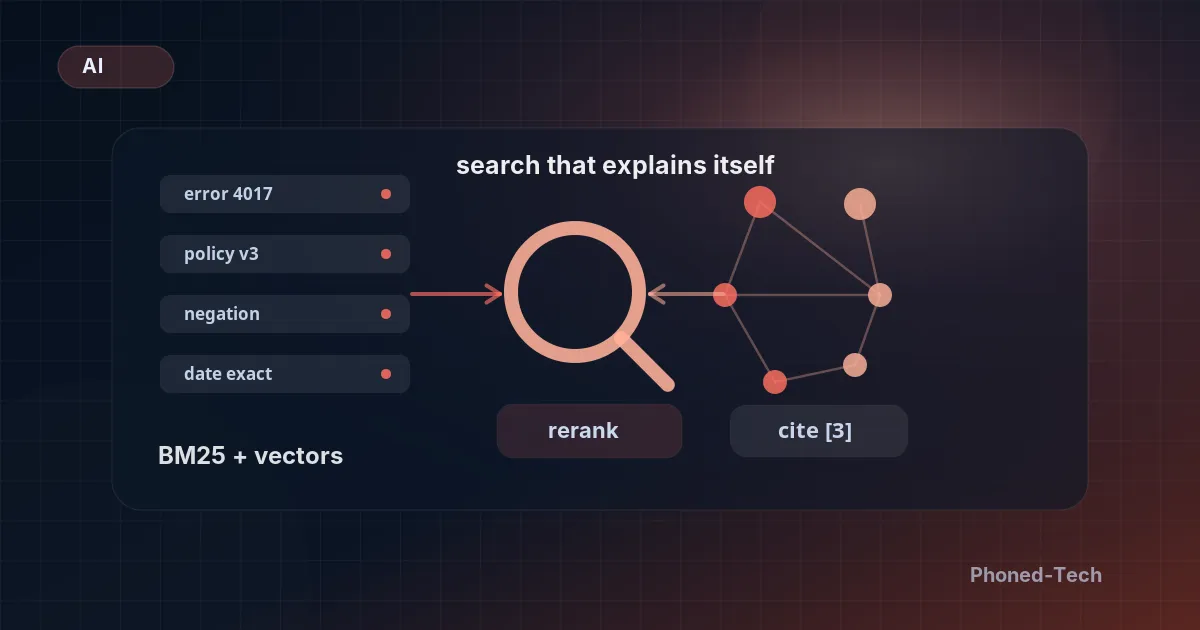
If a customer types “error code 4017”, they don’t want pages that are generally about errors. They want the one page that mentions 4017. Plain word search finds that in a blink. Search by meaning often misses it.
The fix is simple: run both kinds of search at the same time, one for exact words and one for meaning, and put the best results from both on top. It takes a little extra work for each question. In return, the assistant stops giving silly answers to the questions your customers really type.
Fast answers, without cutting corners
Nobody likes waiting for an answer. If the whole reply has to arrive almost instantly, every extra step counts.
One step that takes time is a “second look” that re-sorts the results, to make sure the best one really is on top. We don’t run it on every question. We run it only when the assistant isn’t sure it found the right answer. When a question exactly matches one it already knows, we skip it.
The other slow part is pulling up the documents themselves. If they are stored far away, each one adds a small delay. So we keep them right next to the search. The extra storage costs almost nothing. Slow answers cost you your customers’ patience.
Every answer should show where it came from
People don’t trust an AI that sounds sure of itself but gives them no way to check. So every answer should point to the document it came from, with a real link you can click.
We learned this the hard way. On some systems we delivered, the AI was left to write its own source links. It knew what a link should look like, so it made up links that looked real but led nowhere. The legal team noticed before the users did.
Our fix: the AI never writes links. It only refers to numbered sources that we hand it. After it answers, our system swaps each number for the real link. The AI can’t make up a link it never sees.
Testing before launch, and after
A good demo is easy. Giving good answers every day, to real questions, is harder. What makes the difference is testing.
We check three things:
- Does each question find the right document? For example, does a question about a specific error bring up the page about that error?
- Given the right documents, does the answer say what it should?
- From question to final answer, is the result good? A stronger AI grades these answers.
We run these tests every time we change the assistant’s instructions. We also run the full set every week on samples of real questions people asked.
Here’s why it matters. When we moved a system to a newer version of Claude, the AI made by Anthropic, the tests caught a problem with questions that contain “not”. A demo would never have shown it. We went back to the previous version, fixed the instructions, and only then switched to the new one.
What comes with every assistant we build
After building assistants like this for real, daily use, the list is settled. Each one comes with:
- Search by exact words and by meaning, working together
- A “second look” that runs only when it’s needed
- Documents stored close by, for fast answers
- A real source link on every answer
- A starting set of tests, ready before launch
- A simple dashboard that shows how fast answers come back, how often the right document is found, and how often the answers are correct
The dashboard is what warns us when something starts to slip. Without it, you would hear about it from a customer.
Questions to ask before you start
If you are thinking about an assistant like this, these questions will help you get clear on what you need:
- Who will use it? Your customers, your team, or both?
- Which documents should it answer from? And who keeps them up to date?
- Does it need exact details? Product codes, dates and order numbers need the word-search side to work well.
- Can every answer show its source? If not, people will find it hard to trust.
- How will you know it still works well next month? Ask how it will be tested and checked after launch.
The name doesn’t matter
Call it whatever helps on the paperwork. What you really want is simple: an assistant that searches your own information, explains the answer in plain words, and shows you the proof.
If that sounds useful for your business, book a free 30-minute call. We’ll talk through what you have in mind. After the call, we’ll write down what we would build and send you a clear quote. You can also read more about our AI integration for business.